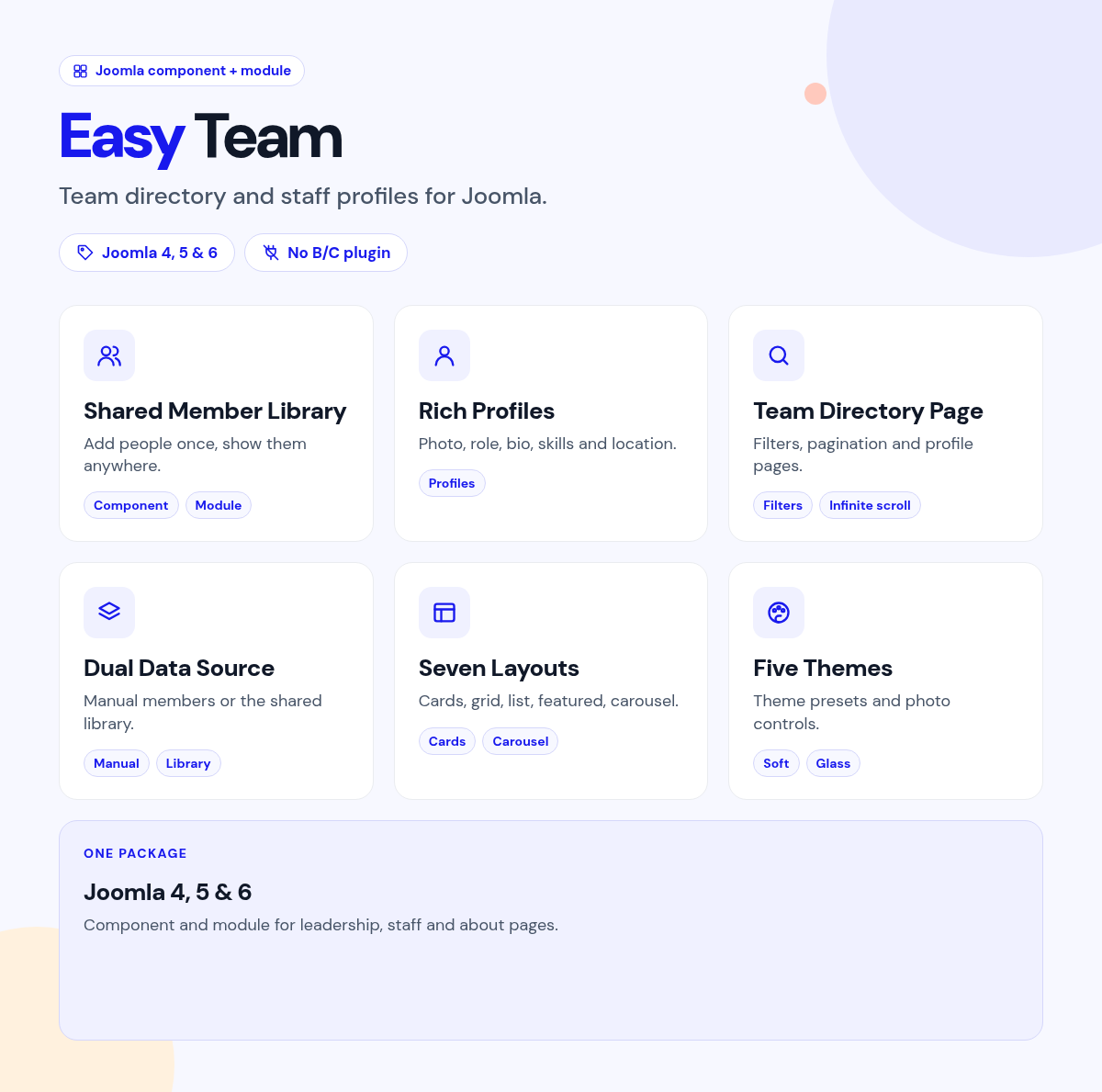
Easy Team
Introduction
Showcase the people behind your brand with a polished team directory that lives on your Joomla site: photos, roles, bios, categories, social links, and layouts that look intentional on desktop and phone.
Easy Team is a component and module package for Joomla 4, 5, and 6. Manage staff in one shared library, publish a full Team Directory page, open member profiles, and drop styled team blocks anywhere with the module. Small teams can still add people inside the module. Larger organisations get categories, search, ordering, and Configuration without fighting JSON limits in module parameters.
Whether you run an agency, clinic, school, SaaS product, church, sports club, or company About page, Easy Team helps visitors meet your people and trust your brand faster.
Why site owners choose it
- One package for the whole journey: store people in the component, show them on a Team page, and reuse them in modules across the site
- Looks finished out of the box: seven layouts and five themes, with photo shapes, colours, radius, and shadow under your control
- Easy for visitors to explore: category filters, hash URLs for shareable views, bio modal, and optional member profile pages
- Built for small and large teams: Manual members for a quick About block, or From component for a growing directory
- Social and contact in one place: LinkedIn, X, Facebook, Instagram, GitHub, YouTube, Dribbble, TikTok, WhatsApp, plus email, phone, and website
- Modern Joomla stack: service provider, namespaces, Web Asset Manager assets, Font Awesome icons, vanilla JavaScript, no jQuery
- SEO when you want it: optional Person JSON-LD for list or detail pages
- Faster images: prefer WebP, set max sizes, and lazy-load portraits as visitors scroll
Built for real About and directory pages
A team section is not only a row of headshots. Visitors want clear roles, short bios, a way to filter by department, and a path to learn more. Editors want to add people once, keep photos organised, and change layouts without touching template overrides.
Easy Team covers that loop on your own Joomla site: administrator dashboard, categories, members, Configuration, Team Directory menu item, member profiles, and a flexible display module, together as one package.
Two ways to publish your people
Component directory for growing teams
Add categories such as Leadership, Engineering, Design, and Support. Create member records with photo, role, bio, skills, location, contact fields, social URLs, featured flag, and SEO meta. Publish a menu item of type Easy Team > Team for a full directory with intro text, filters, result count, and pagination. Link cards to member profile pages, or keep visitors on the list with a bio modal.
Module blocks for any page
Place Easy Team in a module position or article workflow. Choose Manual members for a self-contained list, or From component to pull the shared library with category, featured, limit, and ordering filters. Use one module for leadership on the home page and another for support on a help page, while editing people in one place.
Layouts visitors enjoy
Seven presentation styles
Cards, Grid, List, Compact, Featured, Carousel, and Overlay cover About pages, dense directories, hero-style leads, swipeable crews, and photo-forward grids.
Five visual themes
Classic, Soft, Bold, Minimal, and Glass change the feel of cards and filters in one setting. Photo shape can be circle, rounded, or square. Columns, gap, alignment, and photo size stay editable.
Brand colours without a redesign
Set accent, name, role, and text colours, card background, border, radius, and shadow so the team block matches your site. Optional Extra CSS is available when a project needs a tighter brand match.
Interaction that feels modern
Category and department filters
When more than one group exists, visitors filter the grid in one click. Filter chips stay useful across layouts and scroll cleanly on small screens. Optional hash filters update the address so a view such as Leadership can be shared.
Bio modal and member profiles
Open a lightbox with photo, role, full bio, and social links, or send visitors to a dedicated member page with a back link to the Team list. Social icons open their own URLs. Contact icons appear when you enable them.
Pagination that fits the size of your team
On the Team Directory page, choose numbered pages, infinite scroll, or a single-page load. List limit, result count, and default ordering keep large directories readable.
Social, contact, and schema
Networks your audience already uses
LinkedIn, X, Facebook, Instagram, GitHub, YouTube, Dribbble, TikTok, and WhatsApp use Font Awesome through the Web Asset Manager. Turn networks on or off globally from Configuration so unused icons never appear.
Optional Person JSON-LD
Add schema.org Person markup for published members when an About page needs structured data. Leave it off when you only want a visual team section.
Images that stay sharp and fast
Prefer WebP with quality and max width or height settings. Keep portraits in a clean Media Manager folder such as images/easy-team. Lazy loading helps the first paint stay quick on long directories.
Perfect when you want
- An About or Team page that looks intentional without a page builder
- One member library reused across several pages and module instances
- Category filters, profile pages, and a bio modal visitors understand immediately
- Layout and theme choices that still leave brand colours under your control
- A package that works on Joomla 4, 5, and 6 with native JavaScript
- Small-team simplicity today and directory scale when the roster grows
Highlights at a glance
| Area | What you get |
|---|---|
| Package | Component plus site module in one install (pkg_easy_team) |
| Admin | Dashboard, categories, members, in-component Configuration |
| Front-end pages | Team Directory list and member profile views |
| Module data | Manual members or From component with category and featured filters |
| Layouts | Cards, Grid, List, Compact, Featured, Carousel, Overlay |
| Themes | Classic, Soft, Bold, Minimal, Glass |
| Interaction | Filters, hash URLs, bio modal, hover options, carousel autoplay |
| Social | Nine networks plus email, phone, website, global enable switches |
| Media and SEO | WebP preference, lazy load, optional Person JSON-LD |
| Platform | Joomla 4 / 5 / 6, PHP 8.1+, Web Asset Manager, no jQuery |
Install in minutes
- Download and unzip
EasyTeam_UNZIP.zip - System > Install > Extensions > upload
pkg_easy_team_1.1.0.zip - Components > Easy Team: add categories and members, review Configuration
- Menus: create an Easy Team > Team item for the directory, or Content > Site Modules > New > Easy Team for a page block
- Publish, clear cache, and check the front end
Support
https://support.joomlax.com
Documentation: https://joomlax.com/documentation/easy-team
Easy Team: your people, your brand, your site. Help visitors meet the team, keep editors in control, and grow from a small About block into a full directory without changing products.
Easy Team
- Version:
- 1.1
- Developer:
- Infyways Solutions
- Last updated:
-
Aug 04 2026
2 weeks ago - Date added:
- Jul 28 2026
- License:
- GPLv2 or later
- Type:
- Paid download
- Includes:
- c m
- Compatibility:
- J4 J5 J6
Share